Martial Arts Attendance Software: Free and Paid Options Explained
A practical guide to martial arts attendance software: check-in, free vs paid, kids and adults, and using attendance as evidence for promotions.
- By
- MatSync Editorial
- Published
- October 6, 2026
- Reading time
- 15 min read
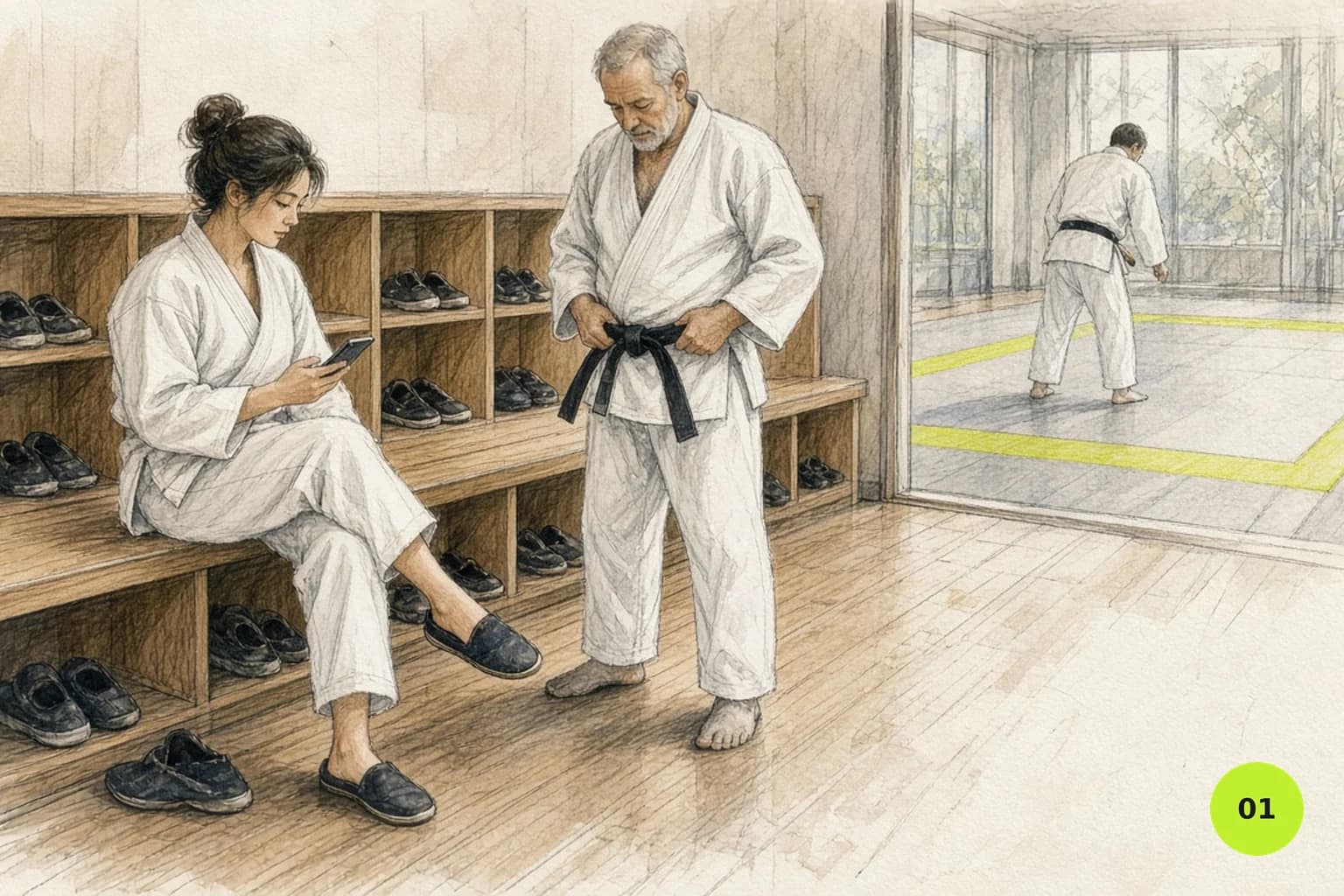
Martial arts attendance software should tell you who trained, in which class and when, without holding up the start of class. That record does two jobs. It shows you which members are drifting away while there's still time to talk to them, and it gives you real numbers when you're deciding on belt promotions.
Quick note first: if you're looking for attendance software for a school classroom, this guide isn't for you. It's written for martial arts clubs, where the same student might train three times a week, bring a sibling, and need a class count before their next grading.
Quick answer: Martial arts attendance software records who trained in which class, so you can spot members drifting away early and back belt promotions with real class counts. Good tools let students check in from their phone, update the roster live, keep kids' and adult classes apart, and connect attendance to memberships and ranks.
What martial arts attendance software should record
Martial arts attendance software should record who trained, in which class, on which date and at what time. For a club, it also helps to keep class type, kids versus adult programs and links to rank and membership, so one check-in can feed promotions, retention follow-ups and billing questions without anyone re-typing it.
Every attendance record needs four things at minimum: the member, the class, the date and the time. Sounds obvious, but a paper sheet or a WhatsApp poll often loses one of them.
On top of that, a martial arts club usually needs:
- The class type. A kids' fundamentals class, an adult sparring session and an open mat aren't the same thing. Different disciplines have different class types, and your records should keep them apart.
- Kids vs adults. Most clubs run separate programs, with separate rules about who can join which class.
- A link to the membership. Attendance means more when you see it next to the member's plan and payment status.
- A link to rank. If you grade, attendance and time since the last promotion are part of the evidence.
When attendance lives in the same system as memberships and ranks, you stop copying data between lists. Our membership software guide goes into the membership side in more detail.
Start with the decisions made at check-in
Before you look at any tool, write down what the person running the class needs to know when someone walks in. It's usually a short list: is this person booked, are they in the right class for their age and level, and is there anything about their membership that needs a word after training?
Keep that screen simple. An instructor shouldn't have to open a full payment history to know if someone can join class. Decide ahead of time which issues can wait until after training and which really stop someone from stepping on the mat. Most can wait.
The check-in method matters less than what happens when things go wrong. Ask what happens when a member forgets to check in, checks into the wrong class, or a record needs fixing after class. Quick corrections are worth more than a clever check-in screen.
Check-in methods compared: paper, spreadsheet, app, staff roster
There are four common ways to take attendance: paper cards or sheets, a shared spreadsheet, member check-in from an app, and a staff-marked roster. Paper and spreadsheets cost nothing but need manual totals. App check-in and digital rosters save time and connect attendance to memberships, ranks and reports automatically.
Many clubs combine two: members check themselves in, and the instructor glances at the roster to catch anyone who forgot.
| Method | Works well for | Where it breaks |
|---|---|---|
| Paper cards or sign-in sheet | Very small groups, one instructor | Totals by hand, lost sheets, no link to payments |
| Spreadsheet or WhatsApp poll | A club just starting out | Double entry, gaps, several people editing |
| Member app check-in | Clubs that want live rosters and history | Members need the app and the habit |
| Staff taking the register from a roster | Kids' classes, busy sessions | Depends on the instructor having a minute |
There are also kiosks, QR codes and key cards out there. They can work well, but they add hardware and setup. MatSync doesn't offer kiosk or QR check-in: check-in happens in the member app.
Paper cards and sign-in sheets
Paper still works for a small group with one instructor. Cards are cheap, kids like stamping them, and nothing needs charging. The limits show up as the club grows: someone has to total the cards by hand, a lost card means lost history, and nothing ties attendance to who has paid. If you're sticking with paper for now, our guide to martial arts attendance cards shows what a good card includes.
Spreadsheets and WhatsApp polls
A spreadsheet is a fine start if one person owns it. It gets fragile when several instructors edit it, when you need to know which kid belongs to which parent, or when you want to check attendance against bookings. WhatsApp polls are quick for "who's coming tonight?" but they don't tell you who actually showed up.
Member app check-in
With app check-in, members check in from their phone when they arrive, and you see attendance right away. The roster is live, history builds up on its own, and nobody types names into a sheet after class. The hard part is the habit. For the first few weeks, remind members at the start of class, and have the instructor check the roster for anyone who forgot.
Test a busy class and its exceptions
The best way to test attendance software is to rebuild your busiest class on a trial account and push it hard. Check in several people quickly, add a walk-in, move someone to another class, undo a mistake and handle a parent with two kids. Quick corrections matter more than a polished demo.
A demo with three tidy check-ins tells you very little. Rebuild your busiest session on a test account instead.
Check in several people fast. Add someone who shows up without booking. Move one person to a different class. Undo an accidental check-in. If you run two classes at once, make sure staff can tell the rosters apart without thinking about it.
Then test families. A parent may manage two kids in different classes, but attendance still belongs to each child. Check that you can pick the right child quickly. Last, change something on the timetable and confirm past attendance stays as it was. Editing next month's schedule shouldn't rewrite last month's records. Attendance and the timetable are closely tied, so it's worth reading about class scheduling software at the same time.
What "free" really includes
Free attendance software usually means a free trial that ends after a set period, a free plan that stays free within a student or feature limit, or a spreadsheet template that leaves the work to you. Some results are staff time clocks, not class tools. Check which one you're getting and what happens when you outgrow it.
The four you'll meet most often:
- A free trial. Full features for a limited time, then you pay or lose access.
- A free plan. Free as long as you stay within a limit, usually students, staff or features.
- A spreadsheet template. Free, but all the work is still yours.
- An employee time clock. Built for staff hours, not for classes and members.
Before you import your whole member list into a free tool, write down the limits that matter to you: number of students, classes, history, exports and support. Ask what happens to your records if the limits change or you leave.
As an example of a free plan, MatSync is free for up to 30 students with all features included, student mobile app access and no credit card required. Above 30 students, the Grow plan is $39 per month, or $35 per month billed yearly.
When to move beyond free
Signs a free tool or a spreadsheet isn't cutting it anymore:
- You spend more time fixing the attendance record than reading it.
- Several instructors take attendance, and they overwrite each other.
- Parents ask about their kids' attendance and you have to dig for the answer.
- You want attendance next to payments and ranks, not in a separate file.
At that point, compare total effort, not just the price tag.
Attendance as evidence, not an automatic verdict
Attendance tells you what happened, not why. A member who drops from three classes a week to none might be injured, traveling, studying for exams or training somewhere else. Treat the data as a reason for a friendly conversation, not a judgment.
Same with promotions. A class count can back up an instructor's view, but rank decisions also depend on skill, conduct and the standards of your discipline. Use attendance and time-in-grade as evidence, and leave the decision with a qualified instructor.
MatSync tracks time-in-grade automatically and lets you set attendance requirements for promotion alongside your promotion criteria, so the evidence is there when you need it. For the full process, see our guides to tracking student progress and belt tracking software.
Kids' classes and adult classes
Kids' and adult classes need separate attendance rules because they differ in length, age groups and who manages the booking. A good setup keeps the programs apart, limits each class to the right age group and level, and lets one parent handle several children while each child keeps their own attendance record.
Kids' and adult programs run on different rules. Classes are shorter, groups are split by age, and parents are involved. Your attendance setup should reflect that.
Keep the programs separate. In MatSync, kids and adult programs stay separate across plans, classes, attendance and ranks, and you can set eligibility rules by age group and skill level. That way, kids book the classes meant for them.
Plan for parents with several kids. With a family account, one parent login covers several children, and the parent can book classes and see progress for each child from the member app. Each child still has their own attendance record.
Using attendance to keep members
Attendance helps you keep members by showing who has stopped training before they cancel. Once a week, list active members who haven't trained in a set number of days and have their instructor reach out personally. A short, friendly message often brings people back to the mat.
The most useful attendance report is often the simplest one: who hasn't trained lately?
Pick a threshold that fits your club. Fourteen days is a sensible place to start, but you set the number. Once a week, pull the list of active members who haven't trained in that time and contact each of them personally. A short "we missed you on Thursday, everything okay?" from their instructor goes a long way.
A few habits help:
- Do the check on the same day every week, so it actually happens.
- Write down what each member said, so you don't ask the same thing twice.
- Look for patterns across the club too, like a time slot that's always half empty.
For more on this, read why attendance tracking matters.
Protect member data and staff access
Treat attendance as personal data: give every staff member their own login, remove access as soon as someone leaves, keep history only as long as you need it and make sure you can export or delete a member's records. Ask each vendor where data is hosted and how it's protected.
Attendance is personal data: it ties a person to a place and a time. For kids' classes, it's data about children. Collect only what you need.
When you compare tools, ask who on your team can see what, how a former instructor loses access, how long history is kept, and how a member's records can be exported or deleted. Give each person their own login instead of sharing one.
MatSync hosts data in EU data centers, encrypts it in transit and at rest, and is built with GDPR in mind. You can export your data at any time.
Run a two-week pilot and test exports
A two-week pilot with real classes is the most reliable way to choose attendance software. Pick two or three classes including a kids' class, name one person to log every problem, compare the software's counts with manual headcounts, and export your data at the end to confirm you can take it with you.
Two weeks of real classes tell you more than any demo. Here's a simple pilot:
- Pick a sample. Use two or three classes, including one kids' class, not the whole club.
- Name an owner. One person notes every problem, how it got fixed, and whether the fix shows up in reports.
- Count heads. In a few sessions, compare the software's record with a quick manual headcount.
- Export everything. At the end, export members, classes and attendance. Open the files yourself and check that names, dates and class names make sense outside the tool.
- Plan the switch. Pick a start date, decide where attendance goes during the changeover, and train instructors on corrections, not just the normal flow.
Where MatSync fits
MatSync suits martial arts clubs that want attendance connected to everything else. Members check in from the mobile app, rosters update in real time, kids and adult programs stay separate, and attendance sits next to memberships and belt records. The Free plan covers up to 30 students with all features, so you can test it properly.
Here's how that works in practice:
- Students check in from the mobile app, and you see attendance right away.
- Recurring classes have capacity limits, members book their spot in the app, and rosters update in real time.
- Kids and adult programs stay separate across plans, classes, attendance and ranks.
- Time-in-grade is tracked automatically, with attendance requirements and promotion criteria per rank.
- Parents manage several kids from one login.
- The dashboard reports on attendance and revenue, and the Progress page shows recent promotions, readiness and belt distribution.
- Our team imports members, memberships, attendance and rank history from CSV files or your current tool. Most academies are up and running in under 15 minutes.
Check-in in MatSync happens in the member app; kiosk and QR check-in aren't available, so factor that in if you need them. For more detail, see the MatSync FAQ. If you want to run the two-week pilot above on a real account, start free with up to 30 students.
FAQ
These are the questions club owners ask most often about martial arts attendance software. The short version: pick a tool that makes check-in fast, keeps kids' and adult classes apart, links attendance to ranks and billing, and lets you export your data. Run a short pilot with real classes before you commit.
What is the best martial arts attendance app?
The one that fits your club. Judge apps on how fast members can check in, whether kids' and adult classes stay separate, whether attendance links to ranks and billing, and whether you can export your data. MatSync is one option: members check in from the app, rosters update live, and attendance sits next to memberships and belt records. Run a two-week pilot before you decide.
Is there free martial arts attendance software?
Yes, but check what "free" means. A free trial ends after a set time. A free plan stays free within a limit. A spreadsheet is free but leaves all the work with you. MatSync's Free plan covers up to 30 students with all features, including the student app, and needs no credit card. Above that, Grow is $39 per month.
How do students check in?
Clubs use paper cards, sign-in sheets, spreadsheets, staff taking the register, member apps, and sometimes kiosks or QR codes. In MatSync (which doesn't offer kiosk or QR check-in), students check in from the member app when they arrive, and you see attendance right away. Pairing app check-in with a quick roster check by the instructor helps, especially in the first few weeks.
Should attendance decide belt promotions automatically?
No. Attendance shows a student has been training, not that they're ready. Use class counts and time-in-grade as evidence next to the instructor's judgment of skill and conduct. MatSync tracks time-in-grade automatically and lets you set attendance requirements for promotion, so the numbers are ready, but the decision stays with you.
Do paper attendance cards still work?
Yes, for a small group with one instructor. Cards are cheap and simple, and kids enjoy them. The limits show up as you grow: someone counts totals by hand, a lost card means lost history, and nothing connects attendance to payments or ranks. Once you run several classes a week, app check-in usually saves time. Our attendance cards guide covers what to put on a card and how to use it for stripes.
How do I track attendance for kids' and adult classes separately?
Set them up as separate programs with their own classes and eligibility rules by age group and level. In MatSync, kids and adult programs stay separate across plans, classes, attendance and ranks. Parents manage all their kids from one login, while each child keeps their own attendance record, so reports for each program stay clean.
Start with your own classes
The quickest way to judge attendance software is to try it with your own timetable and members. MatSync's Free plan covers up to 30 students with all features and needs no credit card, and most academies are up and running in under 15 minutes. Run one real week and compare it with your current method.
Set up your timetable, invite a few members and watch the roster fill up on your phone. Start free.