Software for Students: Essential Tools for 2026
Discover essential software for students in 2026. From productivity tools to specialized apps, learn how the right software boosts academic success.
- By
- RankPill
- Published
- June 22, 2026
- Reading time
- 11 min read

Students today face unique challenges that require sophisticated digital solutions. Whether managing complex course schedules, collaborating on group projects, or tracking personal development in specialized disciplines like martial arts, the right software for students can make the difference between struggling and thriving. As technology continues to evolve in 2026, understanding which applications deliver genuine value has become essential for academic success and personal growth.
Core Productivity Software Every Student Needs
The foundation of academic success starts with reliable productivity tools. Modern software for students must handle everything from essay writing to complex data analysis, often while fitting tight budgets.
Microsoft 365 remains the gold standard for student productivity. The suite includes Word for document creation, Excel for data management, PowerPoint for presentations, and OneDrive for cloud storage. According to TechRadar's essential applications for students, these tools form the backbone of academic work. Better yet, Microsoft now offers college students a free one-year subscription, making premium software accessible without financial strain.
For students seeking alternatives, open-source options provide robust functionality at zero cost. LibreOffice offers complete document editing capabilities, while GIMP handles image manipulation tasks. How-To Geek's guide to free open-source tools highlights additional options that deliver professional results without subscription fees.
Budget-Friendly Software Solutions
Cost remains a primary concern for students. Fortunately, numerous platforms offer educational discounts or free access:
- Notion provides unlimited storage and collaboration features for students
- GitHub offers free access to developer tools and repositories
- Figma unlocks professional design capabilities at no cost
- Grammarly helps polish writing with advanced editing features
- Canva enables professional-quality graphic design
Students can explore comprehensive lists of verified discounts through platforms dedicated to educational pricing, ensuring access to premium software for students without breaking the bank.

Specialized Software for Unique Student Needs
Beyond general productivity, students pursuing specialized fields require industry-specific tools. Athletes training in martial arts disciplines need software that tracks progress, manages schedules, and documents skill development.
Martial arts students benefit enormously from platforms that integrate multiple functions. An effective attendance tracking system helps students monitor their training consistency, a critical factor in skill progression. Whether studying Brazilian Jiu-Jitsu, karate, or muay thai, consistent attendance correlates directly with advancement through belt ranks.
| Software Category | Primary Function | Student Benefit |
|---|---|---|
| Learning Management | Course delivery and tracking | Organized access to materials |
| Progress Tracking | Skill and achievement monitoring | Visible growth over time |
| Scheduling | Class and event coordination | Better time management |
| Communication | Student-instructor interaction | Immediate feedback loops |
Students enrolled in martial arts academies particularly value software that provides transparency into their development. Systems that offer comprehensive student data tracking allow learners to review their progress, understand areas needing improvement, and celebrate achievements. This data-driven approach transforms training from subjective assessment to objective measurement.
Collaboration and Communication Platforms
Modern education emphasizes group work and peer interaction. Software for students must facilitate seamless collaboration across different locations and time zones.
Slack and Discord have emerged as preferred communication platforms. These applications support text channels, voice calls, and file sharing, creating virtual study spaces that mirror in-person collaboration. Students can create dedicated channels for specific courses, projects, or study groups.
Google Workspace offers another comprehensive solution. Google Docs enables real-time collaborative editing, where multiple students can simultaneously work on the same document. Google Sheets handles data collection for group research projects, while Google Slides coordinates presentation development.
Video Conferencing Tools
Remote learning capabilities remain essential in 2026:
- Zoom provides reliable video quality and breakout rooms for small group discussions
- Microsoft Teams integrates seamlessly with Office 365 for document sharing during meetings
- Google Meet offers straightforward video calling without additional software installation
- Discord combines voice channels with persistent text communication for ongoing projects
These platforms ensure students can participate fully in their education regardless of physical location, supporting hybrid learning models that combine in-person and remote instruction.
Note-Taking and Knowledge Management
Effective note-taking separates successful students from those who struggle. Digital note-taking software for students offers advantages traditional notebooks cannot match, including searchability, multimedia integration, and cloud synchronization.
Notion has revolutionized how students organize information. Its flexible database structure allows learners to create interconnected notes, track assignments, and build personal knowledge bases. Students can template their note-taking systems, ensuring consistency across different courses.
Evernote provides robust search capabilities that locate information across thousands of notes instantly. Its web clipper extension saves online research directly into organized notebooks, preserving sources for later citation.
OneNote integrates tightly with Microsoft 365, offering unlimited hierarchical organization. Students can create notebooks for each course, sections for different topics, and pages for individual lectures, maintaining perfect organization throughout their academic career.
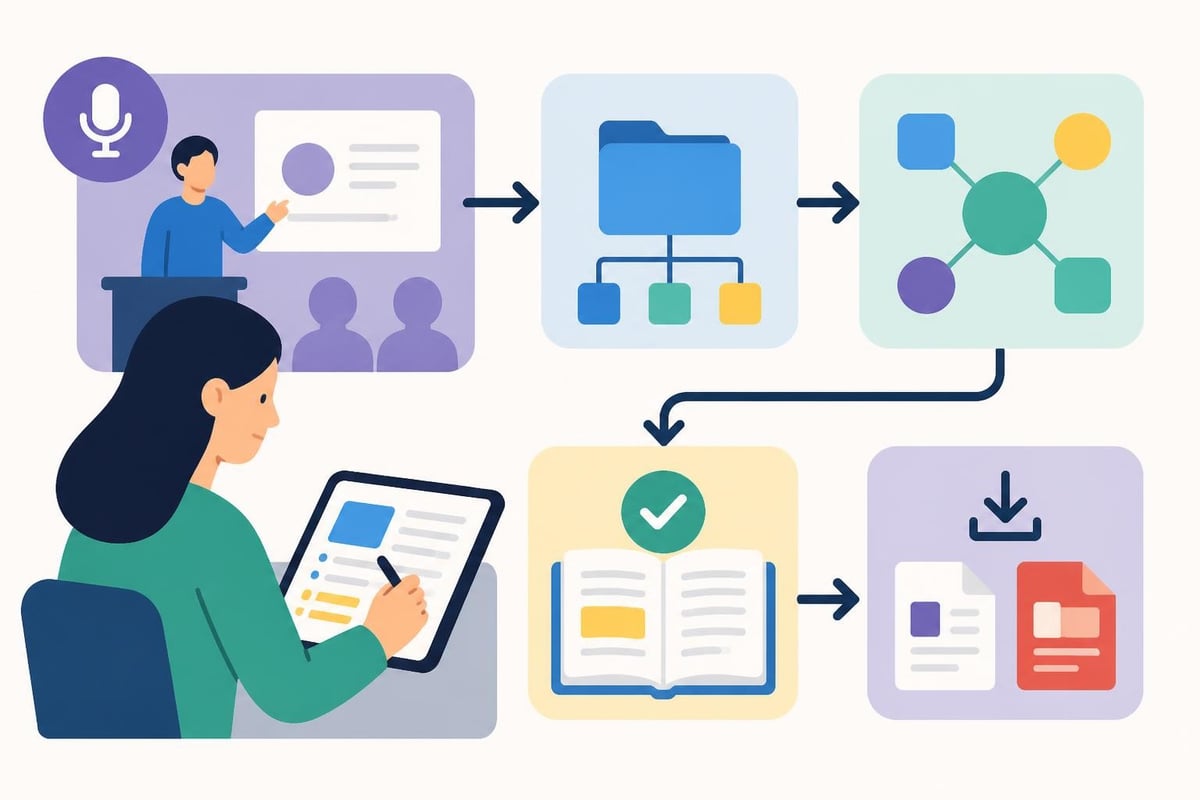
Students in specialized training programs benefit from note-taking systems that accommodate non-traditional learning structures. Martial arts students, for instance, need to document techniques, drill sequences, and instructor feedback. Software that supports multimedia notes allows them to attach video demonstrations alongside written descriptions, creating comprehensive training references.
Time Management and Planning Software
Academic success requires juggling multiple commitments simultaneously. Software for students must help manage complex schedules without adding unnecessary complexity.
Todoist excels at task management with natural language input. Students can quickly add assignments, set due dates, and organize tasks by course or priority level. Its recurring task feature handles regular commitments like training sessions or study groups.
Google Calendar remains the standard for schedule coordination. Color-coding different course schedules, blocking study time, and setting reminders ensures students never miss important deadlines or classes.
For students balancing academics with athletic training, integrated scheduling becomes critical. Martial arts practitioners often train multiple times weekly across various disciplines. Whether focused on Brazilian Jiu-Jitsu, judo, or MMA, coordinating training schedules with academic obligations requires sophisticated planning tools.
| Time Management Feature | Academic Application | Training Application |
|---|---|---|
| Recurring events | Weekly lectures | Regular training sessions |
| Color coding | Course differentiation | Discipline separation |
| Reminders | Assignment deadlines | Belt test preparation |
| Sharing | Group project coordination | Training partner scheduling |
Research and Citation Management
Upper-level students conduct extensive research requiring careful source management. Specialized software for students simplifies the citation process and prevents plagiarism.
Zotero automatically extracts citation information from websites, academic databases, and library catalogs. Students can organize sources into collections, attach PDFs, and generate bibliographies in any citation style with a single click.
Mendeley combines reference management with PDF annotation. Students can highlight key passages, add notes, and sync their research library across devices. Its social features enable discovering new research through academic networks.
EndNote serves graduate students conducting thesis research. Its advanced features handle complex citation scenarios and integrate with institutional databases, though its complexity exceeds most undergraduate needs.
Proper citation management protects academic integrity while saving countless hours during paper writing. These tools ensure students maintain ethical research practices while focusing energy on analysis rather than formatting.
Hardware Considerations for Student Software
Software effectiveness depends partly on the hardware running it. Students must balance performance needs against budget constraints when selecting devices.
Chromebooks offer excellent value for students primarily using cloud-based software. TechRadar's Chromebook guide identifies models combining affordability with sufficient performance for typical student workloads. These lightweight devices excel at web browsing, document editing, and video conferencing.
Tablets provide portability and versatility. Tom's Guide reviews the best student tablets, considering factors like stylus support for handwritten notes, battery life for all-day use, and app ecosystem compatibility. iPads dominate educational settings, though Android alternatives offer compelling value.
The MacBook question divides student communities. Analysis of MacBook suitability for students reveals trade-offs between build quality, software ecosystem, and premium pricing. Students in creative fields often justify the investment, while others find better value elsewhere.

Security and Privacy Software
Students handle sensitive personal information requiring protection. Security software for students prevents identity theft, protects academic work, and maintains privacy.
Password managers like Bitwarden or LastPass generate and store unique passwords for each account. Students juggle dozens of educational platforms, each requiring secure authentication. Password managers eliminate the dangerous practice of password reuse while maintaining convenience.
VPNs protect network traffic on public Wi-Fi common in libraries and coffee shops. Students accessing institutional resources remotely need encrypted connections preventing data interception.
Cloud backup solutions prevent catastrophic data loss. Students should maintain copies of important work across multiple locations. Google Drive, Dropbox, or OneDrive ensure that hardware failure never results in lost assignments or research.
Discipline-Specific Academic Software
Different majors require specialized tools beyond general productivity software for students. STEM fields utilize simulation and analysis tools, while humanities students need qualitative research platforms.
MATLAB and Python environments support engineering and computer science coursework. These programming platforms allow students to develop computational thinking skills essential for modern technical careers.
SPSS and R handle statistical analysis for social science research. Students conducting surveys or analyzing experimental data need robust statistical tools producing publication-quality results.
CAD software like Fusion 360 enables engineering students to create three-dimensional models and technical drawings. Many vendors offer free educational licenses, making professional tools accessible.
Students pursuing physical disciplines need different software entirely. Martial arts academies increasingly use platforms that track student progression through curriculum requirements. Whether training in karate, boxing, or kickboxing, students benefit from software that documents their journey from beginner to advanced practitioner.
Free Software Resources for Students
Budget constraints need not limit access to quality tools. StudentPerks compiles verified free software and discounts available exclusively to students with valid educational email addresses.
Educational institutions often provide software licenses covering expensive tools. Students should investigate their school's technology offerings before purchasing individual licenses. Many universities provide free access to:
- Adobe Creative Cloud for design work
- MATLAB for engineering analysis
- Microsoft 365 for productivity
- Statistical packages for research
- Specialized discipline software
Free and open-source software delivers professional capabilities without licensing costs. Students comfortable with slightly different interfaces can access virtually any functionality without payment.
Integrating Software Into Daily Routines
Owning software for students matters less than using it effectively. Successful students develop consistent workflows integrating their digital tools seamlessly.
Morning routine: Check calendar for daily schedule, review task list for priorities, scan communication platforms for updates from instructors or group members.
During class: Take notes in preferred application, photograph whiteboards or presentations for later review, record audio if permitted and useful.
Study sessions: Block focused time using timer apps, organize notes into knowledge management system, practice active recall using flashcard software.
Before bed: Update task list with new assignments, review next day's schedule, sync all devices ensuring access to current information.
Athletes balancing training with academics need routines accommodating both commitments. Checking training schedules, reviewing technique notes, and tracking progress measurements become additional daily habits supporting athletic development alongside academic achievement.
Evaluating New Software Options
The software landscape evolves constantly. Students must develop evaluation criteria preventing endless tool-switching while remaining open to genuinely superior options.
Consider these factors when evaluating new software for students:
- Learning curve: Time invested learning new software trades against productivity gains
- Integration: Tools should connect with existing workflow rather than creating isolated islands
- Longevity: Choose established platforms likely to exist throughout your academic career
- Data portability: Ensure you can export your information if switching tools later
- Cost trajectory: Free student versions sometimes become expensive after graduation
Educational software reviews provide independent assessments helping students make informed choices. Reading experiences from peers in similar situations prevents costly mistakes.
Innovative teaching methods increasingly incorporate technology. Research on virtual educational escape rooms demonstrates how software can transform traditional instruction into engaging interactive experiences, though practical implementation varies widely.
Selecting appropriate software for students requires balancing functionality against cost while considering individual learning styles and academic requirements. The tools highlighted here represent tested solutions serving diverse student needs across general academics and specialized training. For martial arts students specifically, comprehensive platforms that track attendance, monitor progress, and facilitate communication between instructors and learners provide invaluable support for skill development. MatSync delivers exactly these capabilities for martial arts academies, helping students and instructors alike maximize training effectiveness through intelligent software designed specifically for the unique demands of combat sports education.