Team & progressUpdated
Roles and permissions in MatSync
What owners, admins, instructors and members can do in MatSync, who can change roles, and where to see everyone in a role.
Where to find it: Dashboard · Settings › Roles
Step by step
Open Settings › Roles
Role distribution shows how many people have each role and what each role can do.
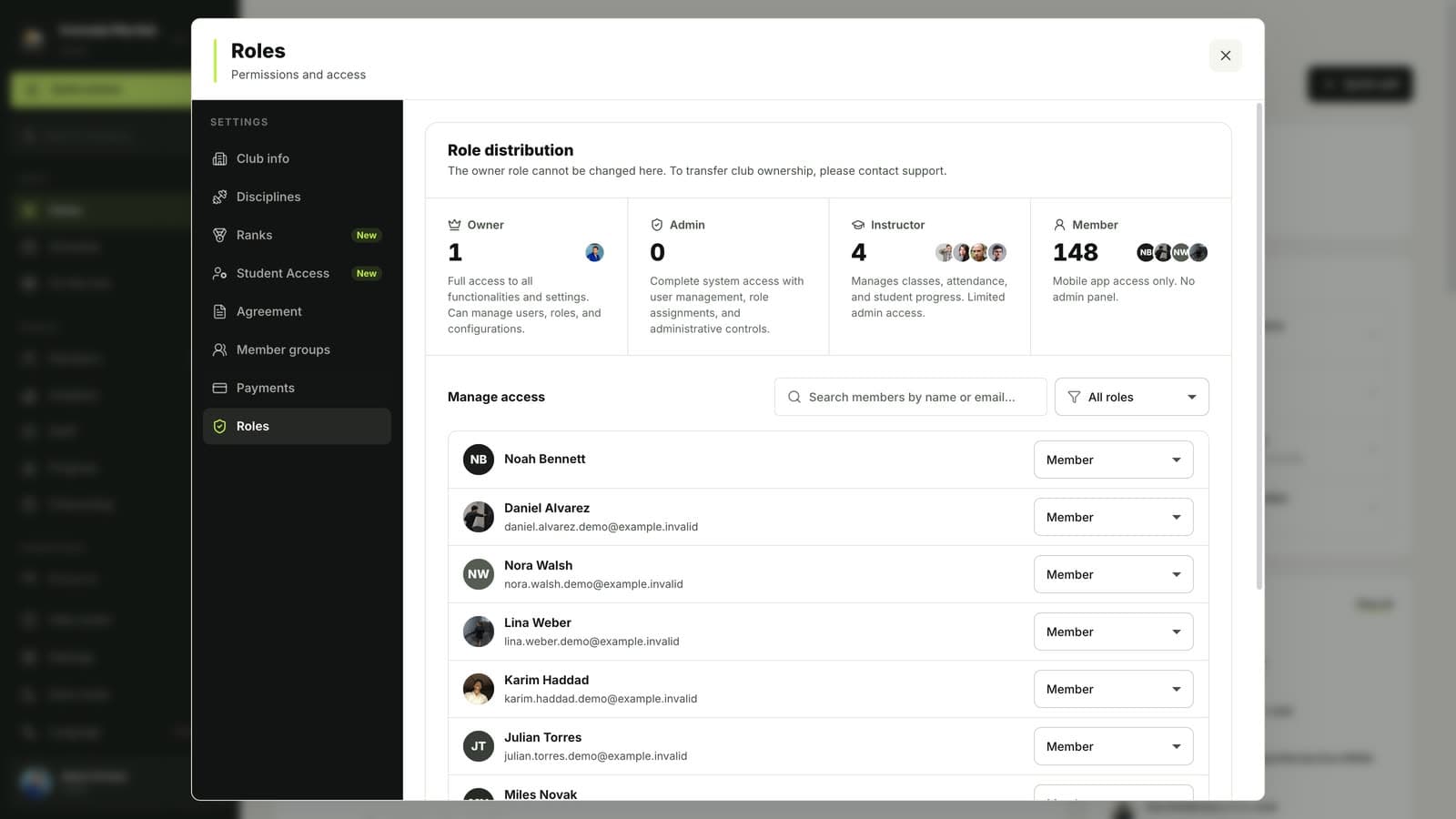
Filter by role
Use the role filter in Manage access to list everyone with one role, for example all instructors. Change a role with the menu next to each person.
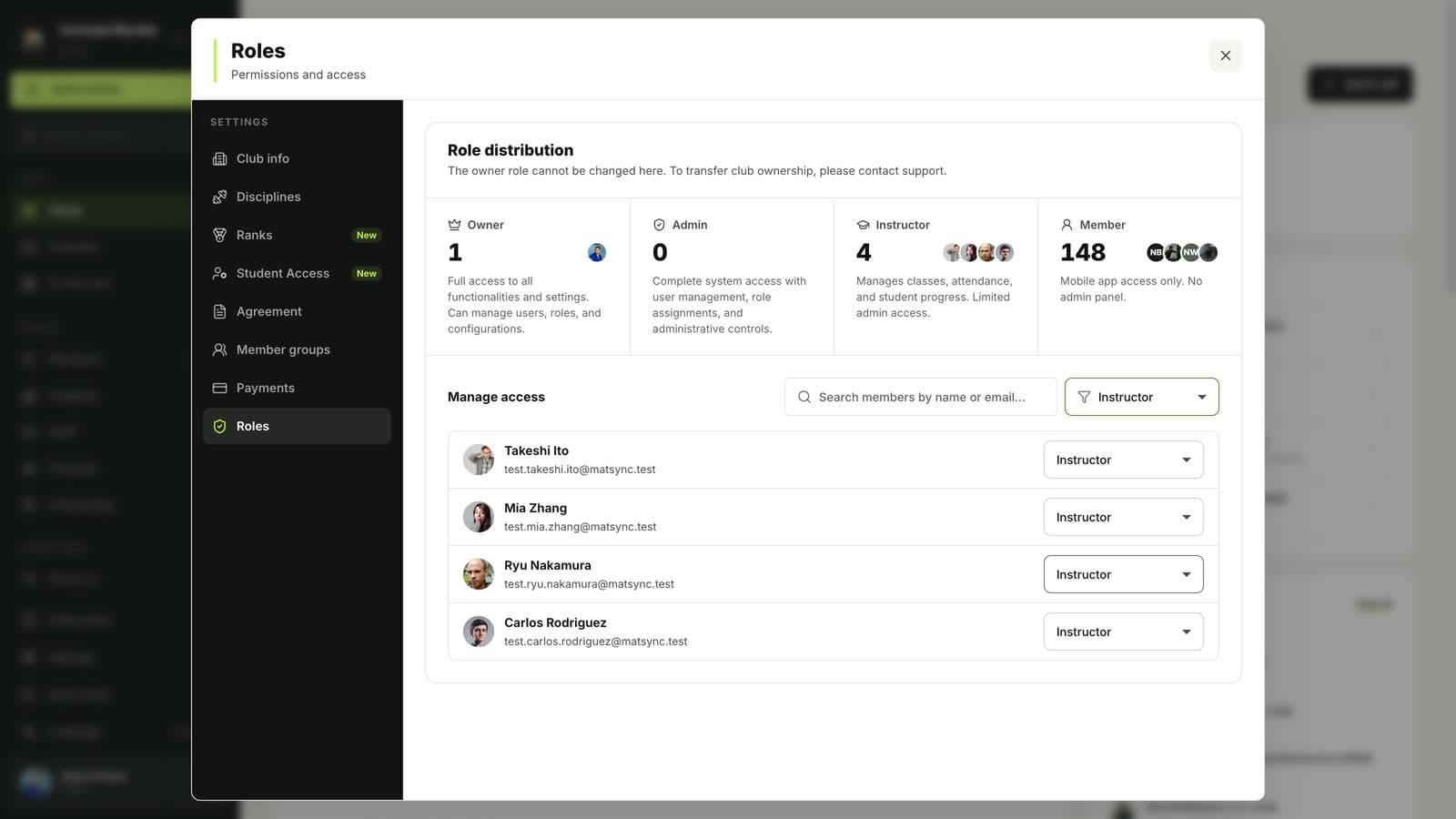
Good to know
- Owner: full access to everything, including settings and roles.
- Admin: runs the club day to day, with user management and administrative controls.
- Instructor: classes, attendance and student progress, with limited admin access.
- Member: uses the mobile app only, with no access to the dashboard.
Questions
Who can change roles?
Owners can make other people admins, instructors or members. Admins can manage instructors and members. Nobody can change their own role.
How do I transfer club ownership?
Ownership cannot be changed in settings. Contact MatSync support to transfer it.
Related guides
Run your academy with less admin and more time on the mat.
Start free