Schedule & attendanceUpdated
How to track attendance with On the mat
See who trained this month, weekly attendance by month, a leaderboard per discipline and members who need a nudge.
Where to find it: Dashboard · On the mat
Step by step
See who is training
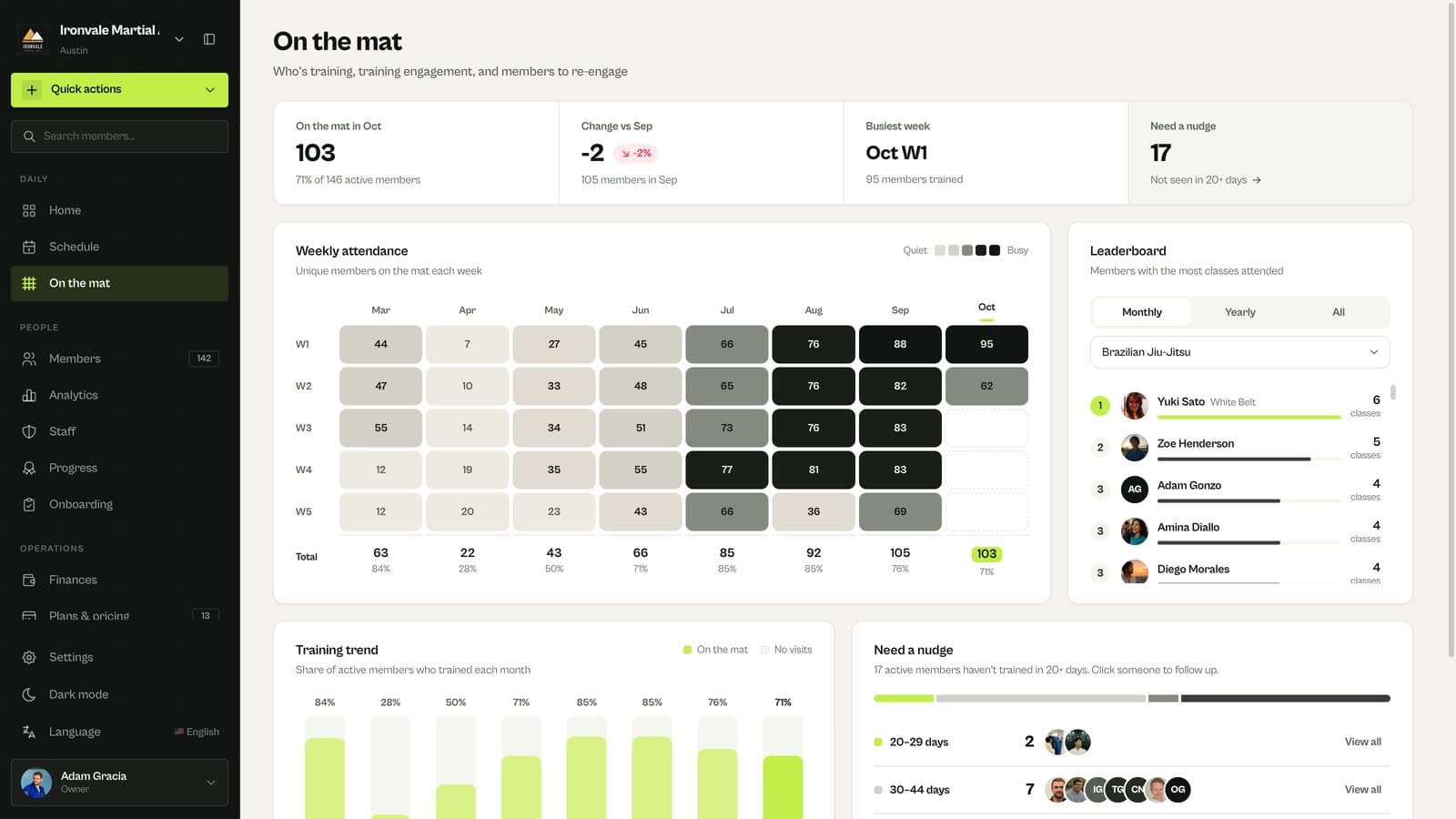
The top of On the mat shows how many members trained this month, the change from last month, the busiest week and how many members need a nudge.
Use the leaderboard
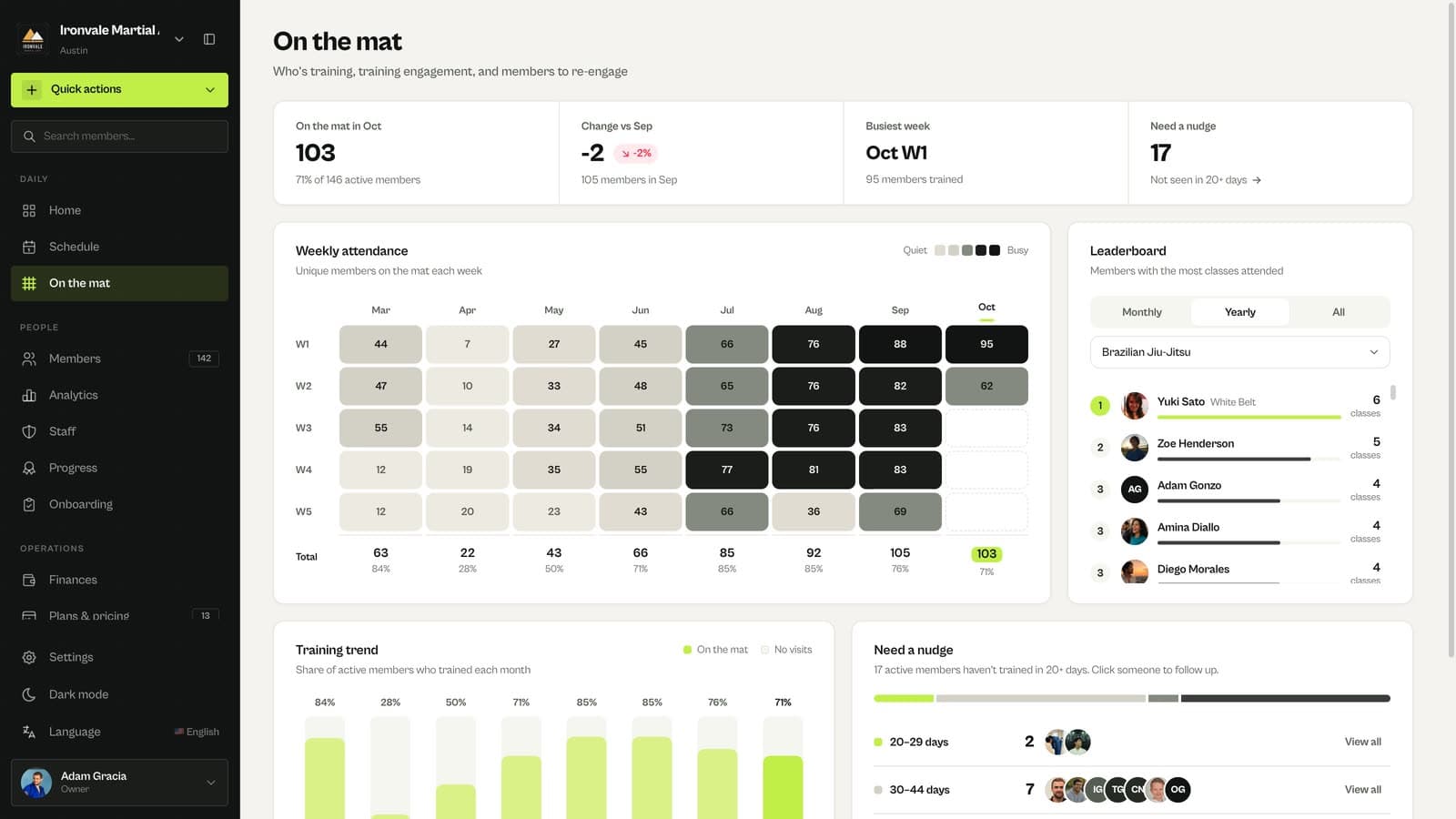
The leaderboard ranks members by classes attended, per discipline, monthly, yearly or all time.
Follow up with members who stopped coming
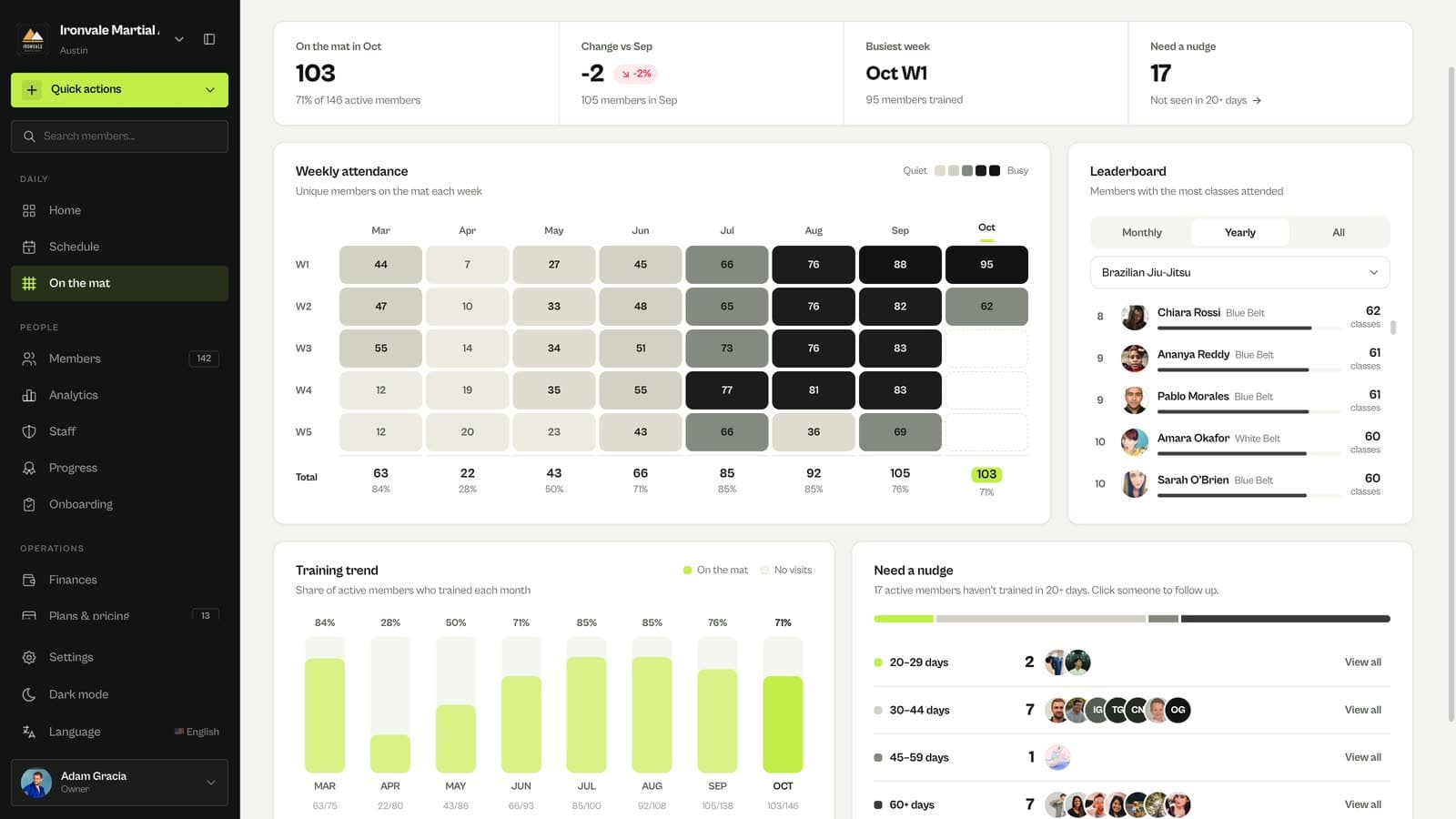
Need a nudge groups members by how long they have been away, so you can reach out before they cancel.
Related guides
Run your academy with less admin and more time on the mat.
Start free