Plans & paymentsUpdated
How to see revenue and payments in MatSync
Total revenue, payments, average payment and fees, your revenue trend, payment methods and monthly and quarterly revenue.
Where to find it: Dashboard · Finances
Step by step
Check your totals
Finances starts with total revenue, number of payments, average payment and fees.
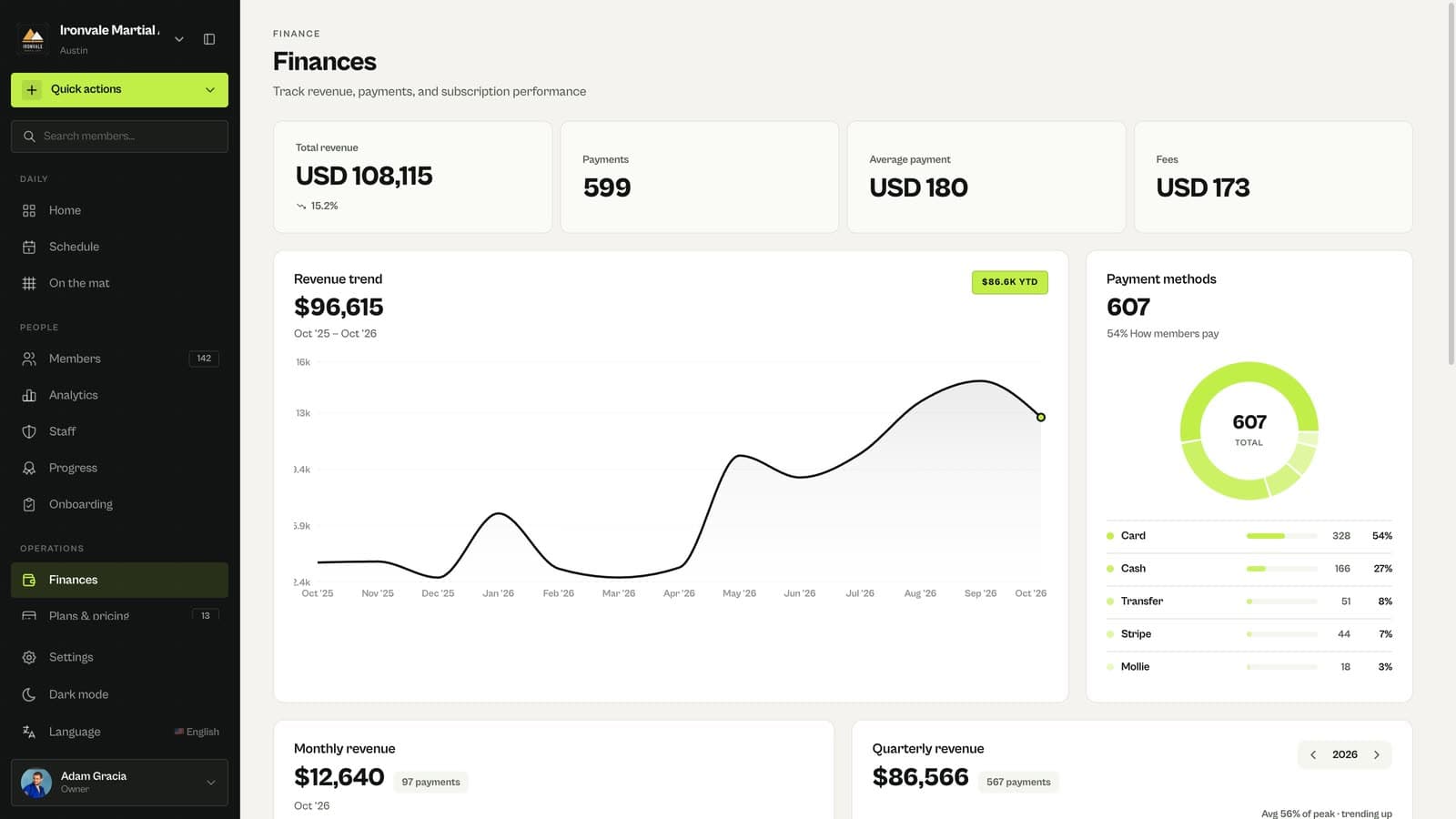
Read the trend and payment methods
Revenue trend shows the last twelve months; Payment methods shows how members pay.
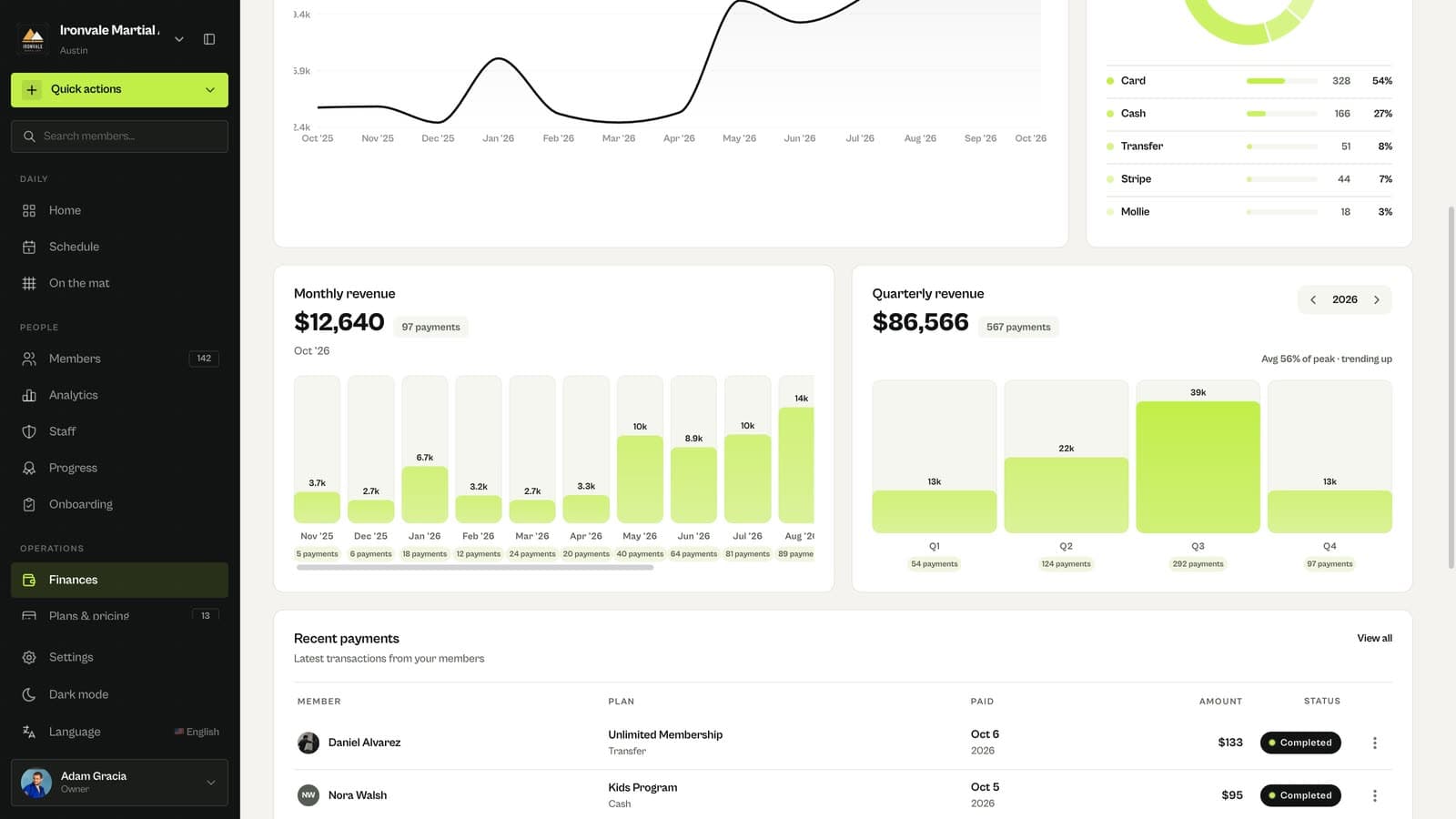
Compare months and quarters
Monthly and quarterly revenue help you spot busy and quiet periods.
Related guides
Run your academy with less admin and more time on the mat.
Start free