Krav Maga school software that takes the pressure off you.
Level 1 fundamentals, all-levels classes, Krav Fit, kids, the women’s self-defense class and level tests, with memberships and payments in one place. Members book from their phones, and you see who is ready for the next test.
From the 6 am Krav Fit class to the Saturday fight class, every booking, level and payment works from the same member records.
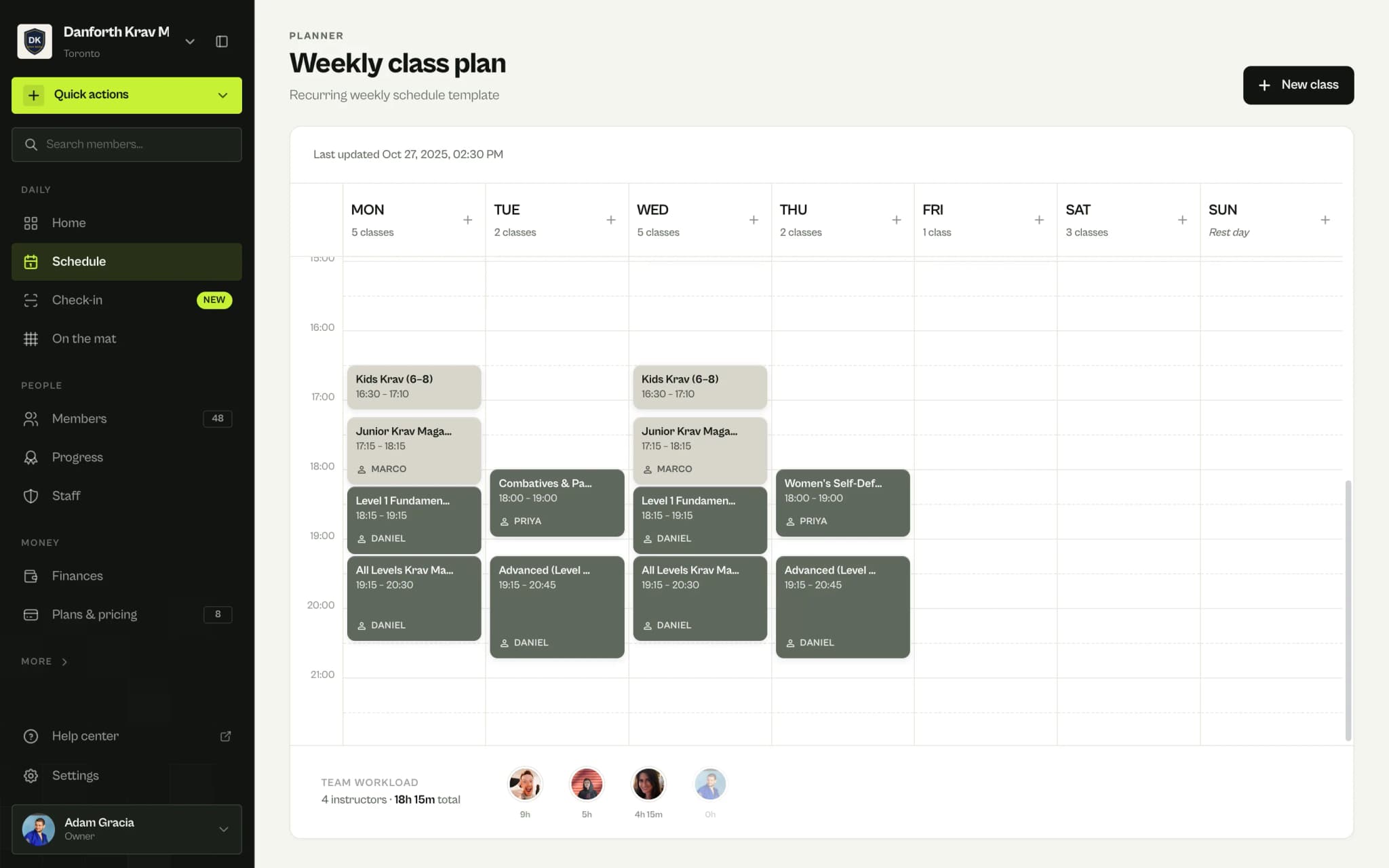
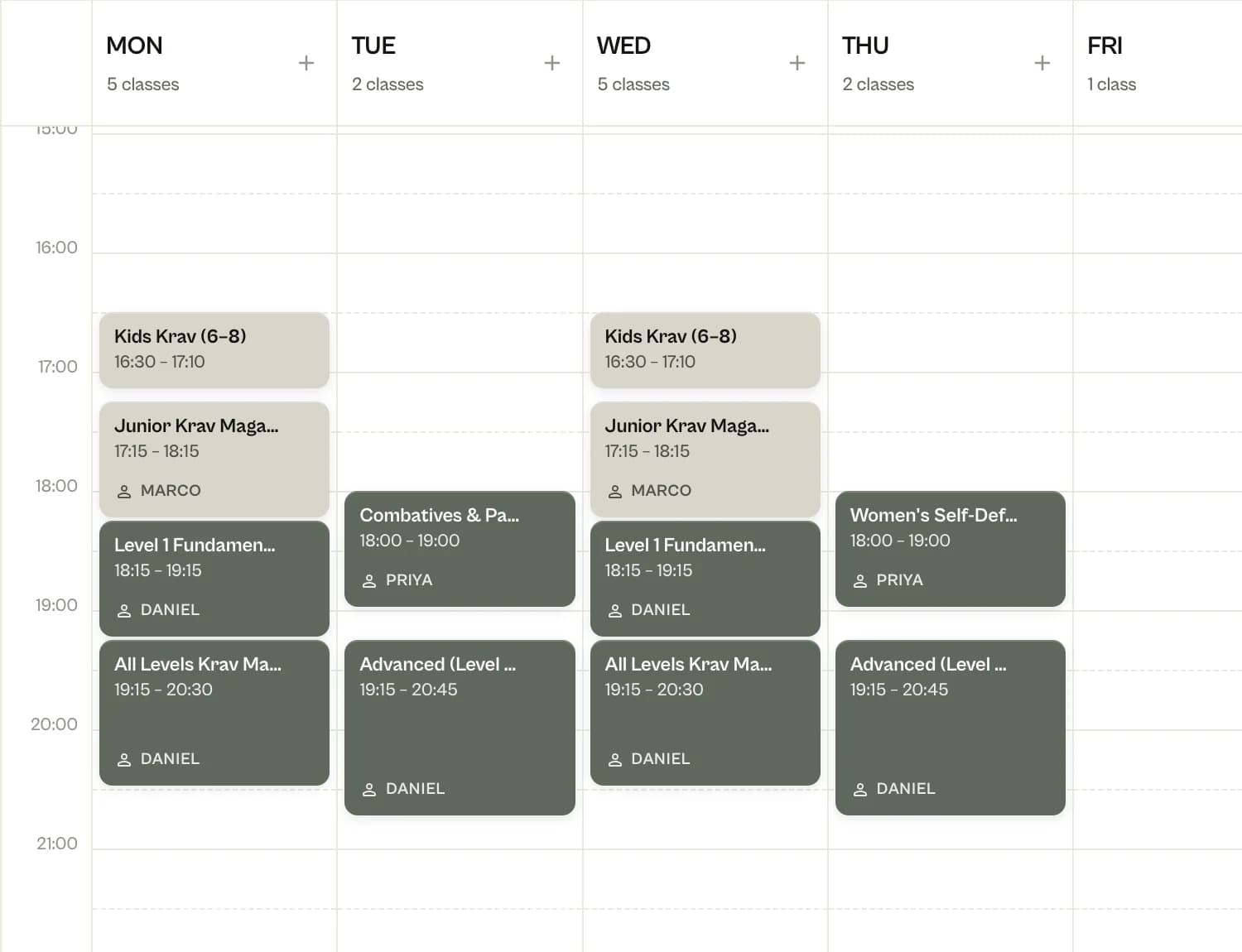
Beginners, advanced and the women’s class on one timetable
Krav Fit, Kids Krav, juniors, Level 1 fundamentals, all levels, combatives and pads, the advanced class, women’s self-defense and Saturday fights. Each class has its own age range, level and capacity, so a first-timer never walks into weapon defenses.
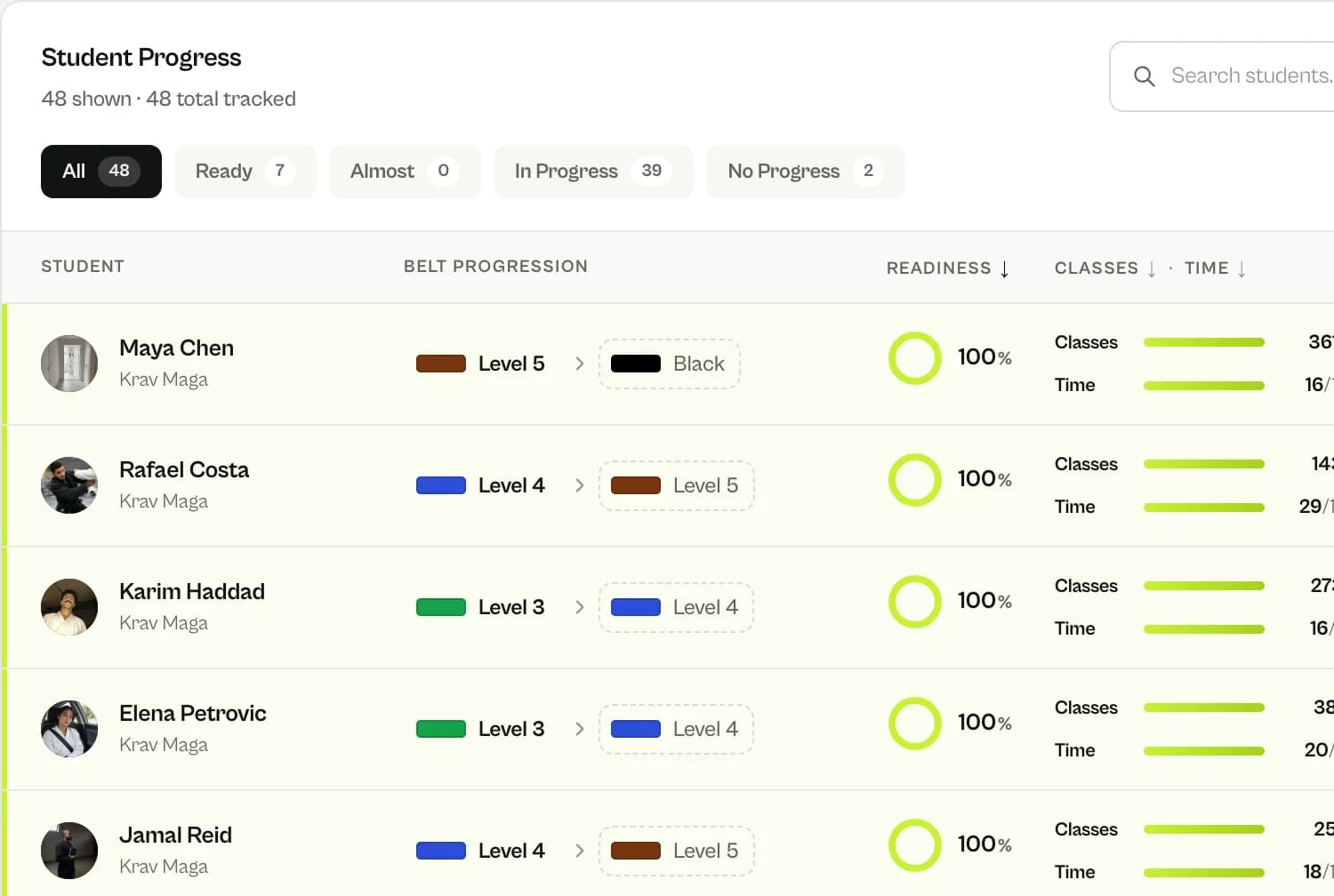
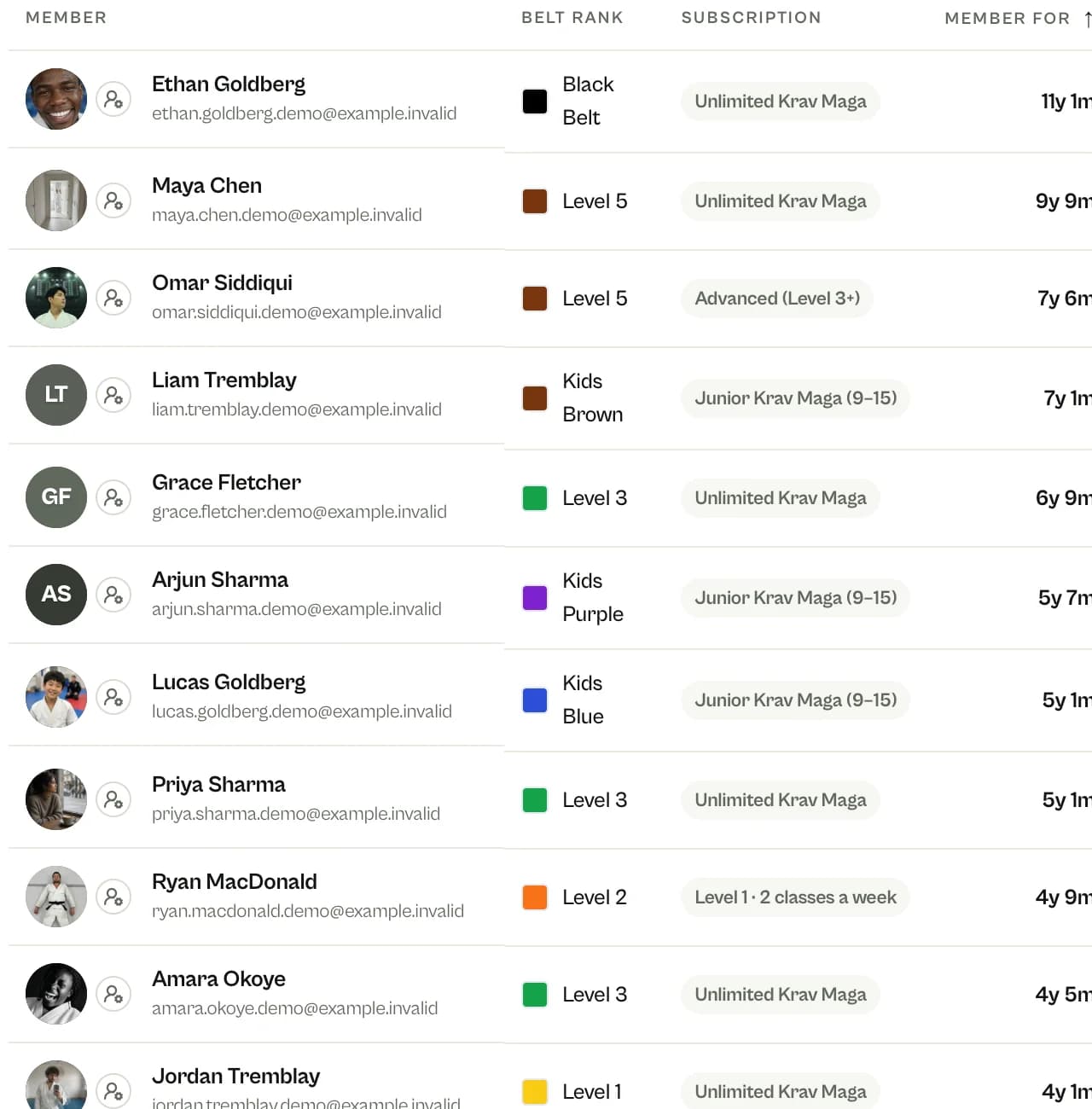
P1 to P5, colored belts or Level 1 to 5: MatSync tracks the grading your school uses, with minimum classes and months at each level, counted from real attendance. Members who only come for Krav Fit never need one.
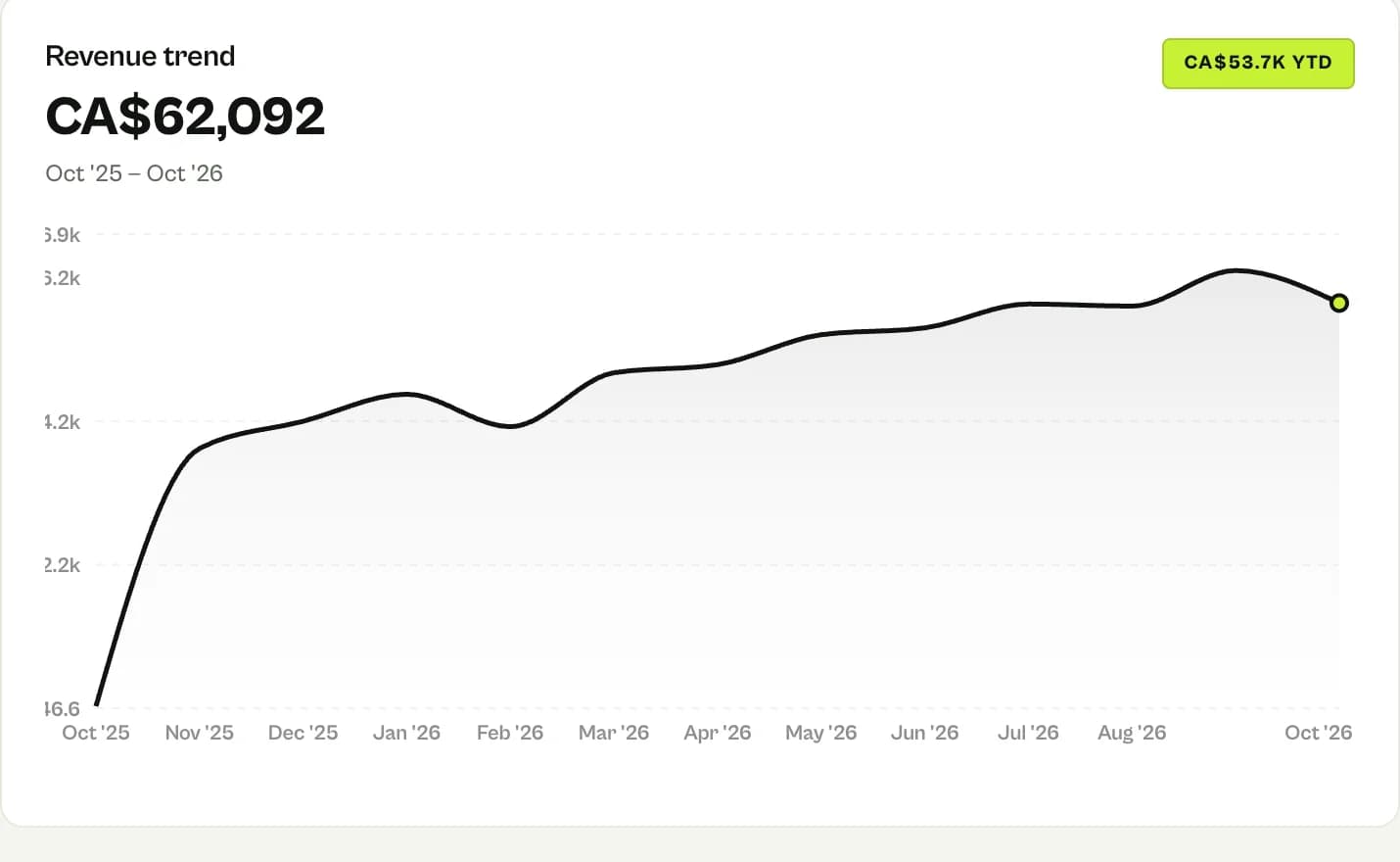
Unlimited, two-a-week Level 1, three-a-week Krav Fit, advanced, juniors, Kids Krav, annual memberships and 10-class passes. Card payments through Stripe, cash and transfers recorded by hand, revenue month by month.
Members book in the app or scan their card at the front-desk tablet, and the instructor takes roll on the roster. Every class counts towards the next test.
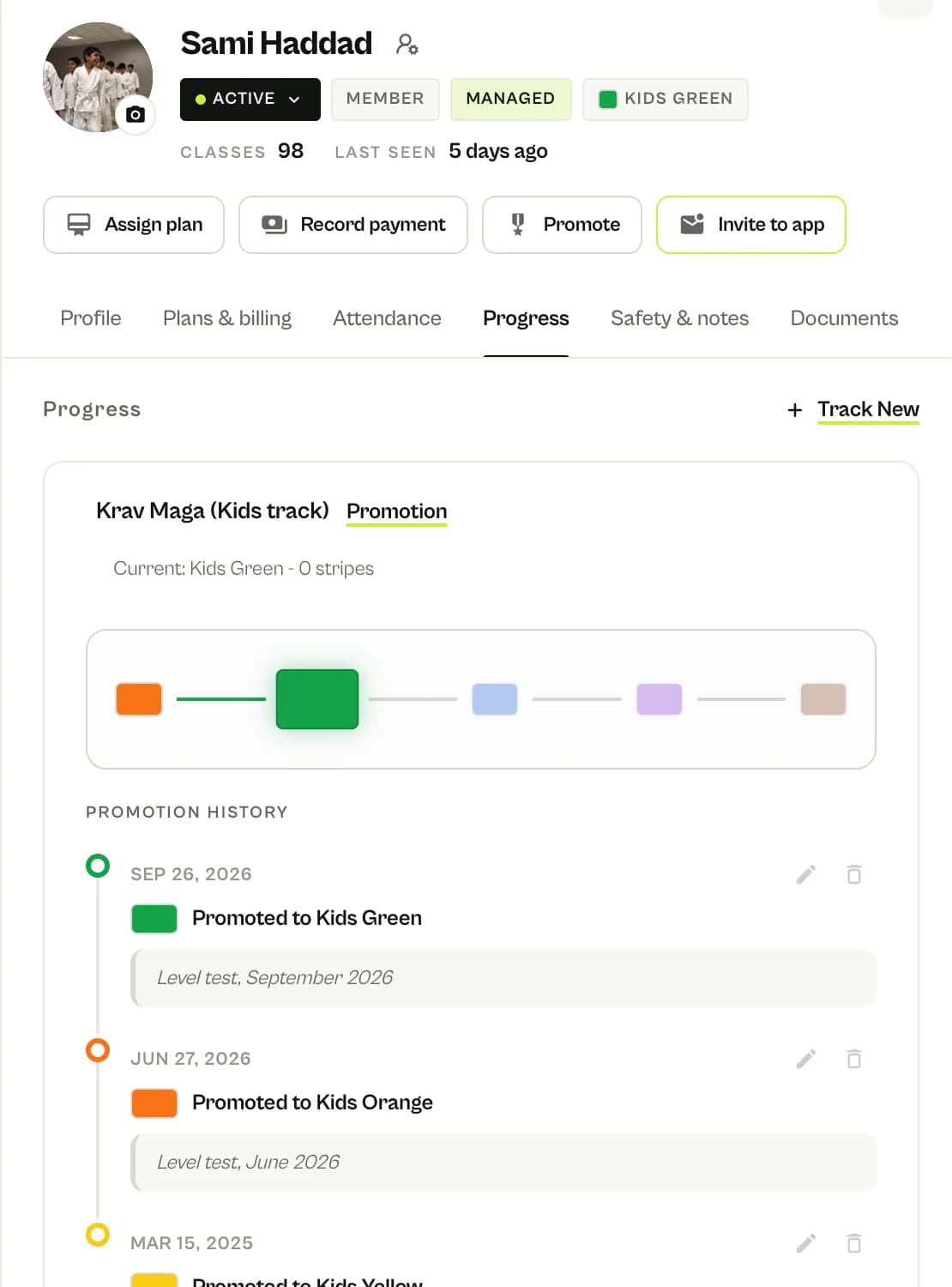
Kids and juniors work through their own levels with their own minimums. Every level test is saved with its date, instructor and note, including levels imported from your old records.
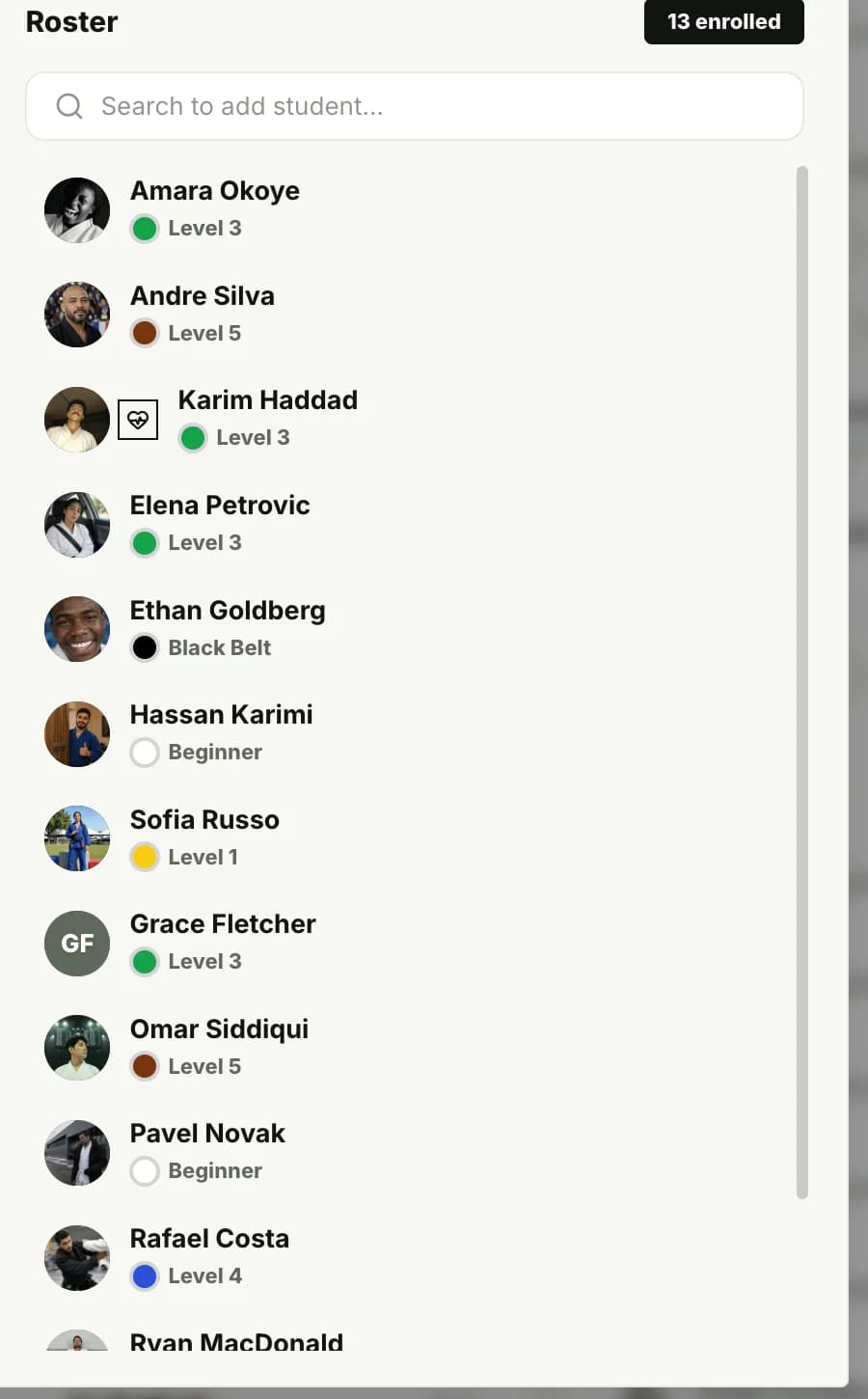
Adults, Krav Fit regulars, kids and teens, each with their plan and attendance. An old shoulder injury shows as a medical flag on every roster, and parents manage each child from one login.
The best Krav Maga school software lets you set up your own grading, whether that is P levels or colored belts, and shows who is ready for the next test from real attendance. It should run beginners, Krav Fit members who never test, kids and a women’s self-defense class on one timetable, let members book and pay from their phones, and be priced so a 50-member school does not pay like a fitness chain.
Krav Maga school software compared, by school size
What a school pays the software company each month, from the list prices each vendor publishes. Open any name for the full comparison.
Monthly list price plus any platform fee on online payments, for a school where 80% of members pay a $110 membership online. Card processing is left out because every option charges it. Prices checked August 2026. Run your own numbers
Before you switch
The answer is yes.
Questions school owners and chief instructors ask us before they switch. Every answer below is something MatSync does today.
Can I set up Krav Maga levels instead of belts?Yes
Create the levels your school grades by, such as P1 to P5 and G1 to G5, Level 1 to 5 or colored belts, with the minimum classes and months for each. MatSync does not impose any association’s syllabus.
Can I see who is ready for the next level test?Yes
Put the test date on a member’s record and the progress list shows who is ready, who is close and who has not trained enough since their last test, counted from their attendance.
Can I run a women’s self-defense class?Yes
Set a class’s group to Women and it shows as a women’s class on the timetable, with its own time, instructor and capacity.
Can kids and teens have their own levels?Yes
Kids and juniors get their own track with their own minimums and stripes. Their history stays on the record when they move up to the adult levels.
Can Krav Fit members train without testing?Yes
Give fitness members their own membership and simply never test them. They book Krav Fit like any class, and their attendance still counts if they start the Level 1 curriculum later.
Can I limit memberships to a number of classes a week?Yes
A membership can allow a set number of group classes per Monday-to-Sunday week, from 1 to 14. Once a member reaches the limit, further bookings that week need a class pass.
Can I add a one-off self-defense workshop?Yes
Add it to the calendar as a one-off event next to the regular classes, with its own date, time and instructor.
Can instructors see medical notes on the roster?Yes
Owners and admins record medical notes on a member’s profile. Instructors see a medical flag on the class roster and can open the details, while the notes stay out of member lists.
Can members check in at a front-desk tablet?Yes
A tablet at the front desk runs the MatSync check-in kiosk: members scan their code as they arrive and the check-in lands in the class attendance. The instructor can also take roll on the roster.
Can parents manage several kids from one login?Yes
With a family account, one parent login covers several children. Parents book classes, follow each child’s levels and pay, and family discounts apply automatically to eligible memberships.
Can members pay by card and I still record cash?Yes
Members buy their membership in the app. Online payments go through Stripe at Stripe’s standard fees plus a 0.5% MatSync app fee. Cash and bank transfers you record by hand have no transaction fee.
Is there free Krav Maga school software?Yes
MatSync is free for up to 30 members, with every feature included, the member app and no credit card required. When the school grows past 30 members, the Grow plan is $39 per month, or $35 per month billed yearly.
Inside the school
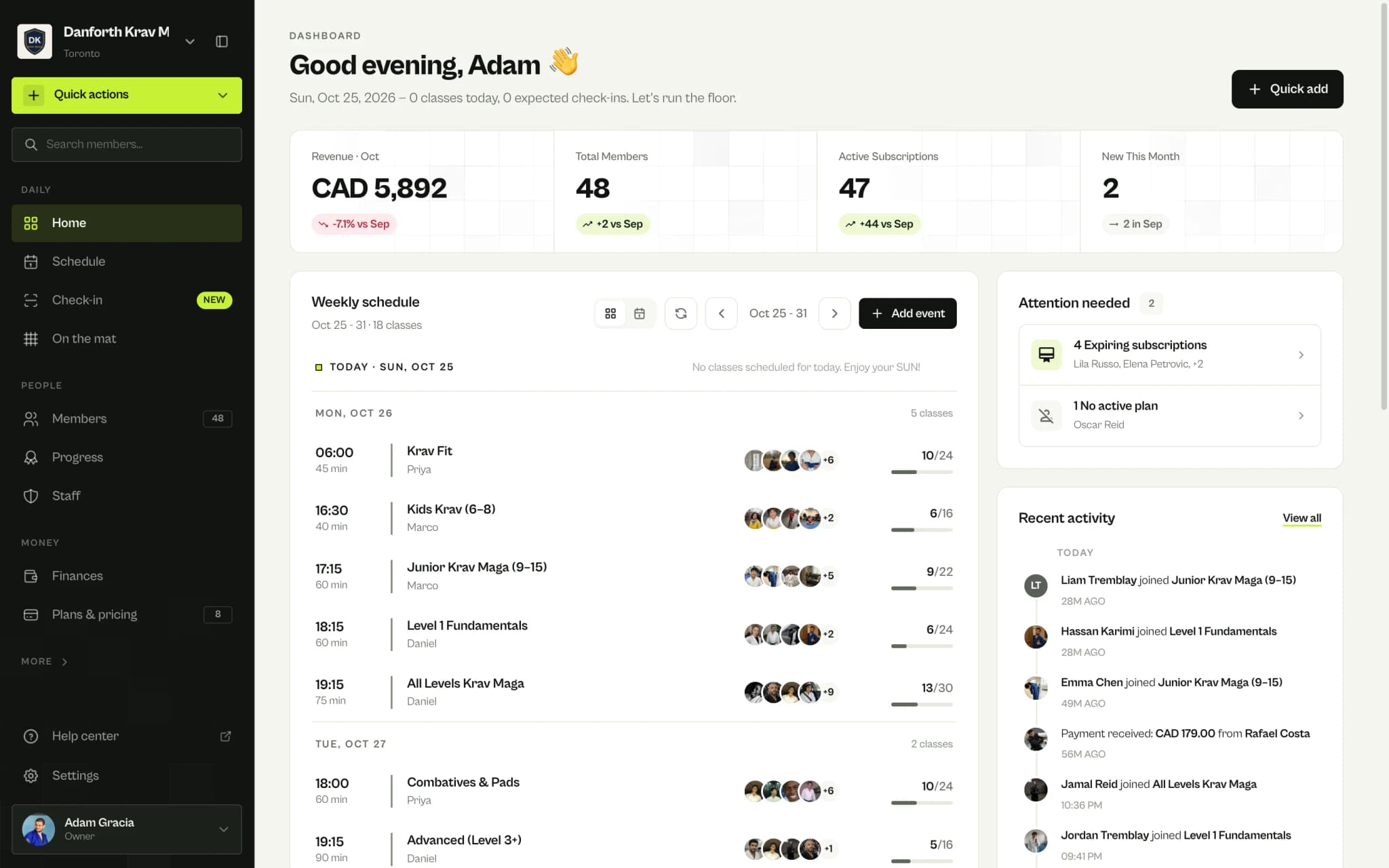
See the school from the inside
The schedule, levels, members, revenue and class roster of one Krav Maga school, as the chief instructor sees them.
matsync.app/dashboard/home
For Krav Maga schools
What a Krav Maga school needs from its software
A Krav Maga school is not a gym with a class timetable, and it is not a traditional dojo either. These are the jobs owners ask us about most, and how MatSync handles each one.
Level tests based on real attendance
Minimum classes and months at each level, counted from real attendance. Put the next test on the calendar and see who is ready, who is close and who needs more classes first.
Kids Krav and juniors
Six-to-eight-year-olds get Kids Krav with awareness and escape games, juniors their own levels and anti-bullying drills. One parent login books and pays for every child.
Krav Fit members who never test
Early-morning Krav Fit sits on the same timetable as the curriculum classes, on its own three-a-week membership. Those members book and pay like everyone else, with no test in sight.
Advanced classes by level
The advanced class and the Saturday fight class show their level on the timetable, with their own membership for students from Level 3. Seminars go on the calendar as one-off events.
A shoulder that cannot take breakfalls yet, or an inhaler in the bag, shows as a flag on that class roster, so the instructor knows before partner drills start. Need a waiver for new students? Start from the free template.
Send us a spreadsheet or an export and we import members, plans and levels with their dates. Comparing costs first? Use the gym software cost calculator.
MatSync’s 0.5% app fee, plus Stripe’s standard processing fees, only applies to payments that go through Stripe. Manual payments have no transaction fees.
Class dismissed
You teach. MatSync runs the front desk.
Set up your classes, levels and memberships in an afternoon, then invite your members. Free for up to 30 members, no card needed.